My List
The baby checklist that only shows you what you need right now.
Every product we've reviewed, organised by stage from trying to conceive to toddler. Tell us your due date and we'll show you what to decide on now, hide what can wait, and keep a running total of what it'll all cost.
Free. No card. Takes about two minutes.
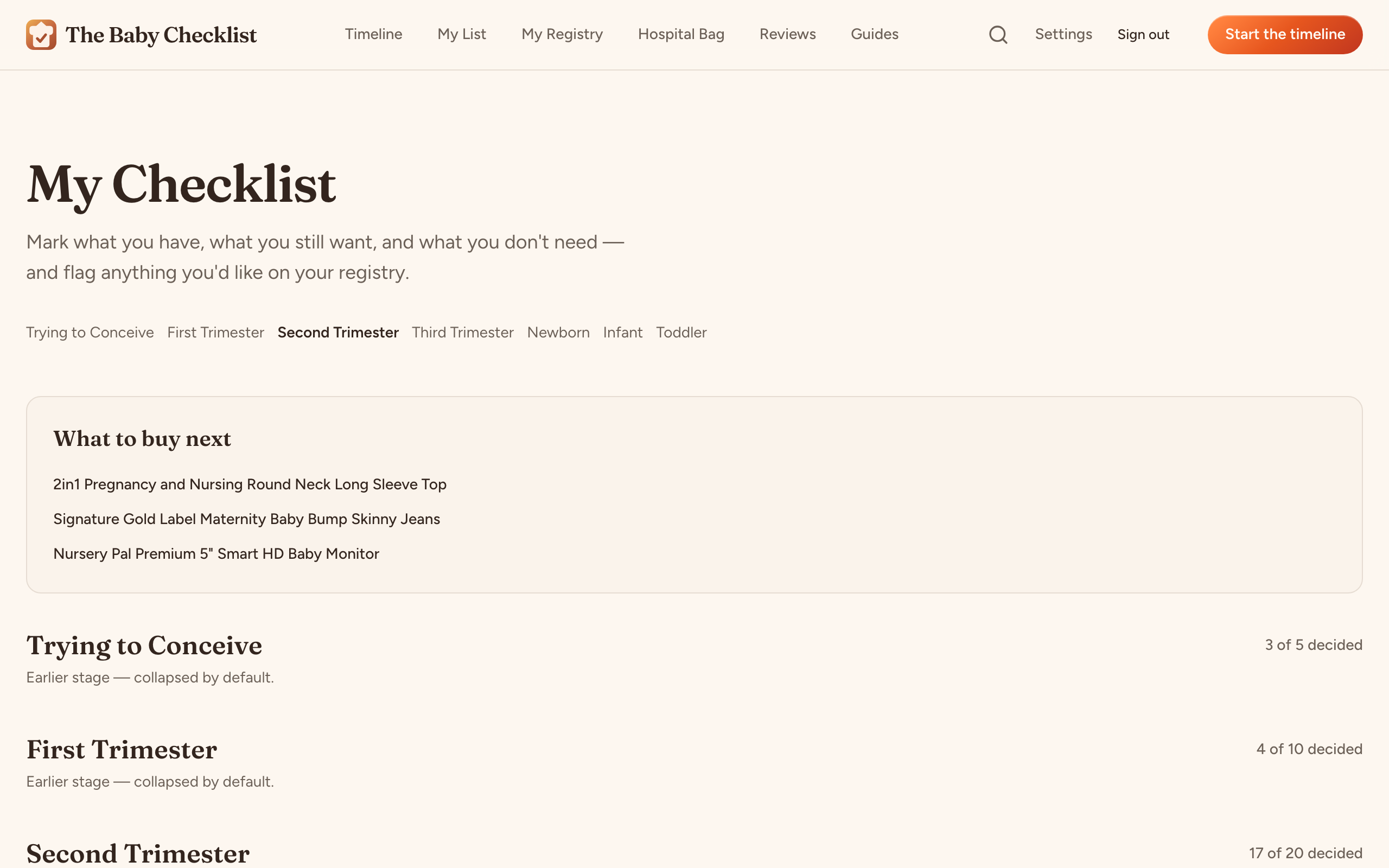
Still to spend
£4,383
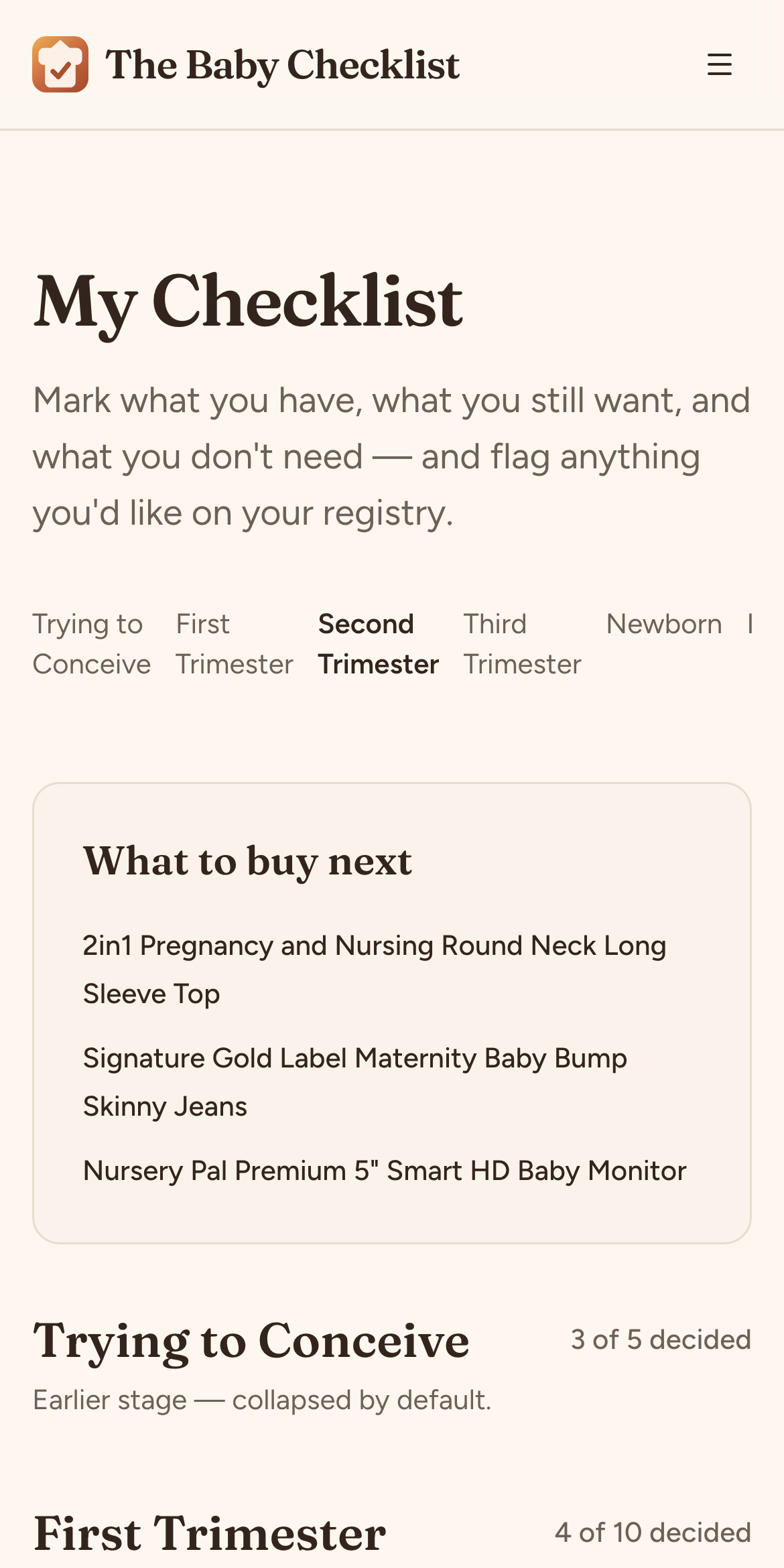
Tell us your due date
Or skip it. Either way you get all seven stages; with a date we open the right one and fold the rest away.
Mark each item Have it, Want it, or Not needed
For car seats, prams and cots you pick one and we mark the rest done automatically.
Share what's left as a registry
Anything you still want goes onto a registry you can share with one link. Guests claim without an account.
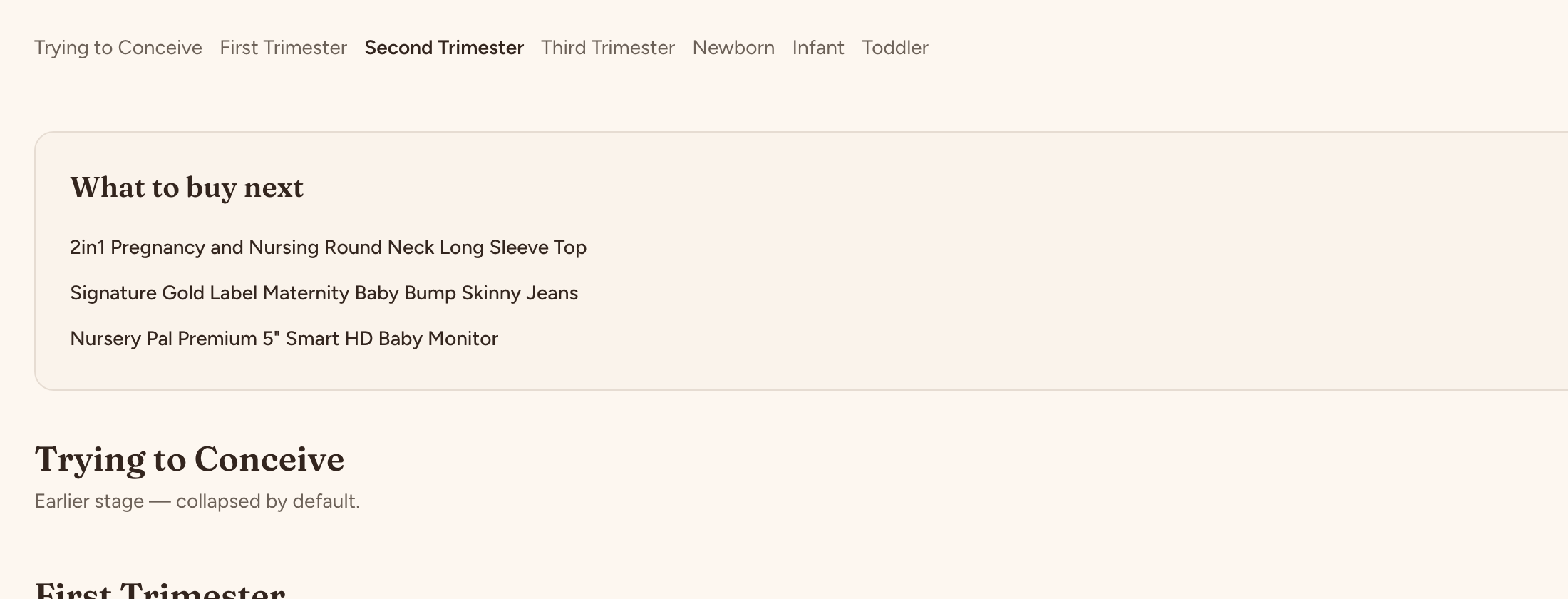
Seven stages, one list, and a 'you are here'.
Trying to conceive, three trimesters, newborn, infant, toddler. Add your due date and My List opens the stage you're in, collapses the ones you've passed, and shows how much of each stage is decided. You never scroll through toddler-proofing at twelve weeks.
Three buttons. No spreadsheets.
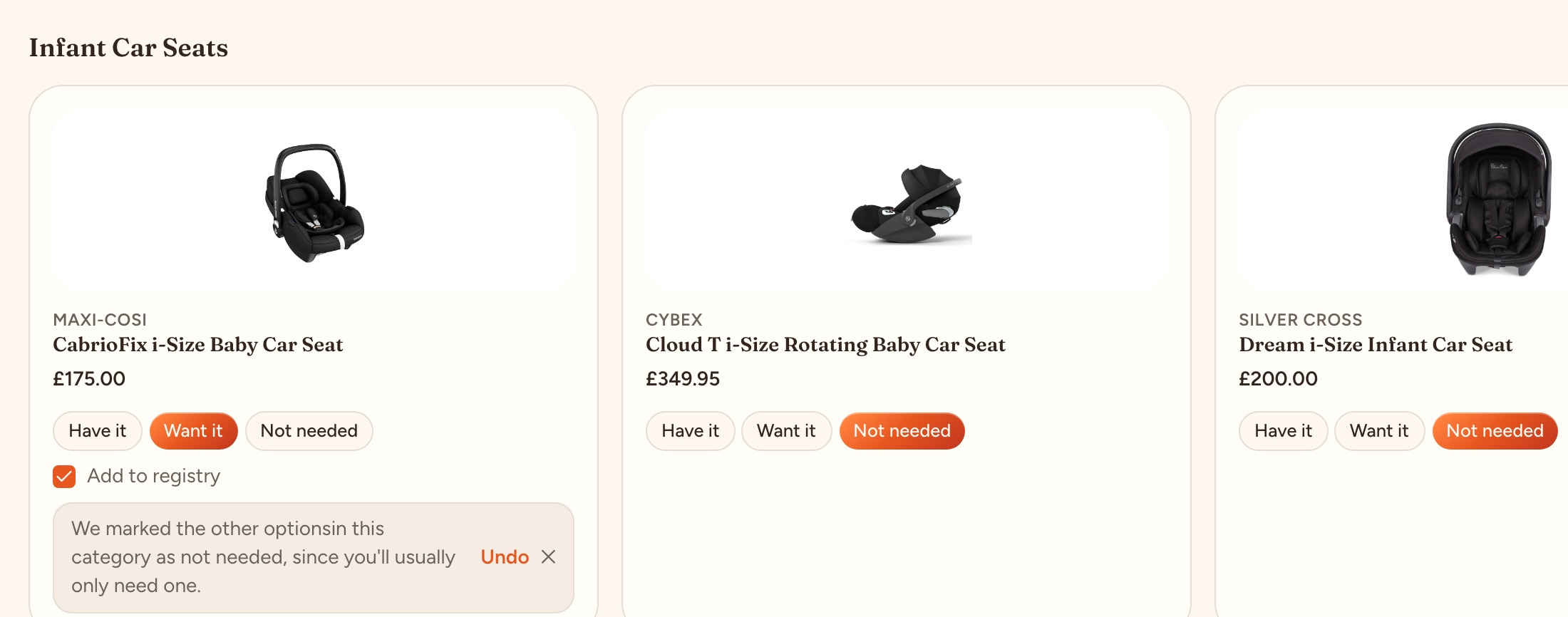
Every product gets one of three answers: Have it, Want it, or Not needed. For things you'll only ever buy one of, like a car seat, choosing one marks the others as not needed, with an undo if you change your mind. A category is done in a couple of taps.
- Have it: already sorted, counts toward what you've spent.
- Want it: still to buy, and one tick adds it to your registry.
- Not needed: gone from your list and your budget.
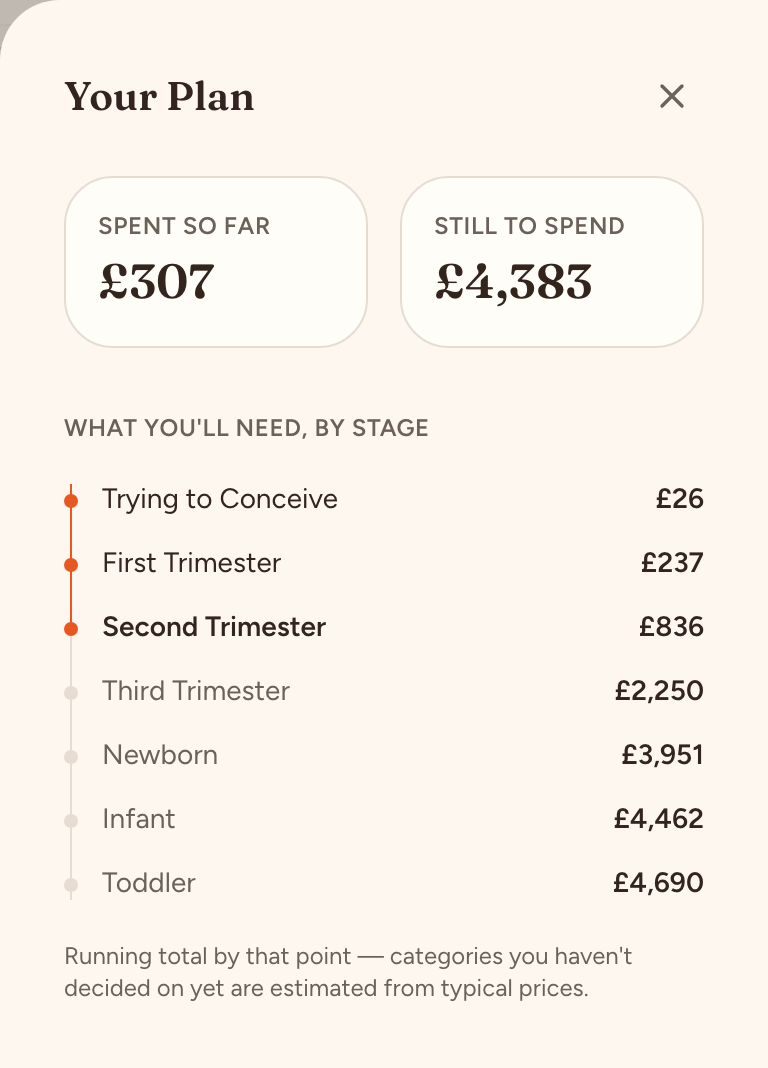
See what the whole journey costs, stage by stage.
Your Plan adds up what you've bought and what you still want, and estimates the categories you haven't decided on yet from typical prices. It shows a running total at each stage so you know what's coming, not just what's due this month.
Decide on the review page, not on a separate list.
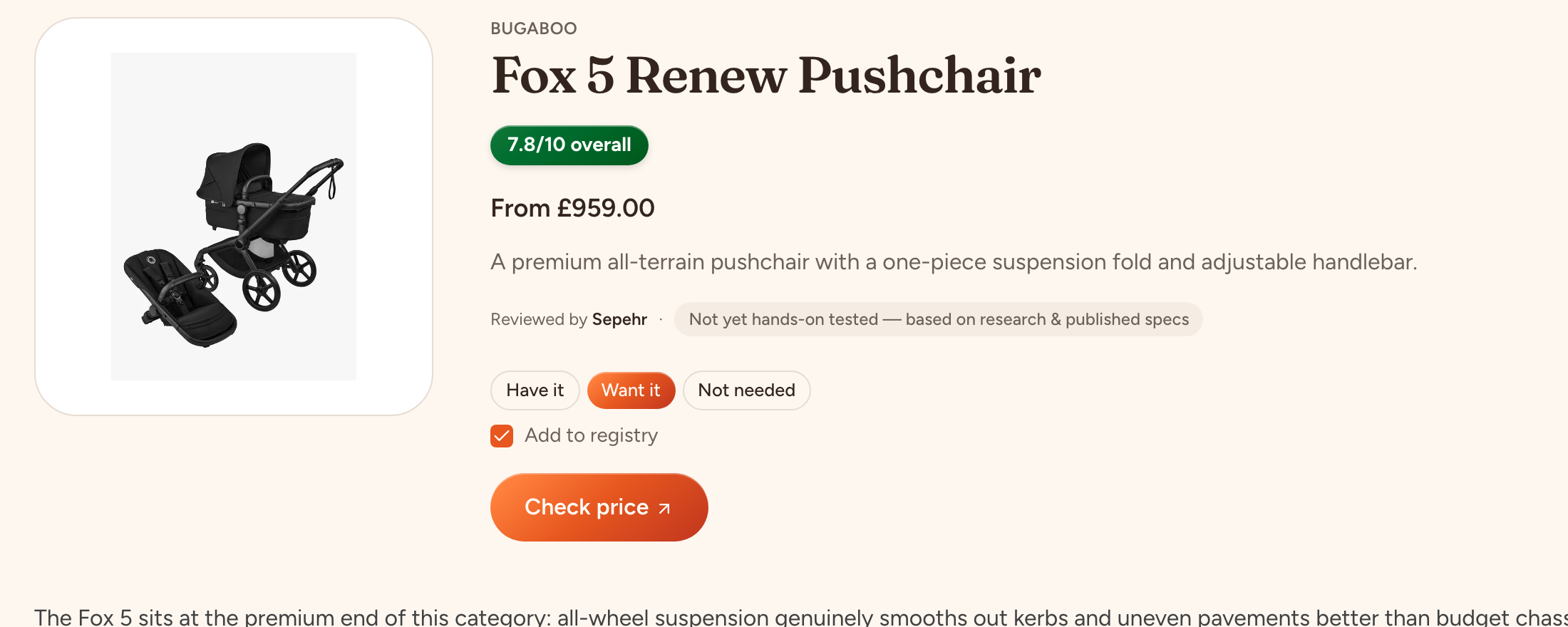
The same three buttons sit on every product review, stage page and guide on this site. Read our verdict, look at the score, tap Want it, and it's on your list. Every item on your list is something we've reviewed and scored; there's no 800-product catalogue to wade through.
One list for both of you.
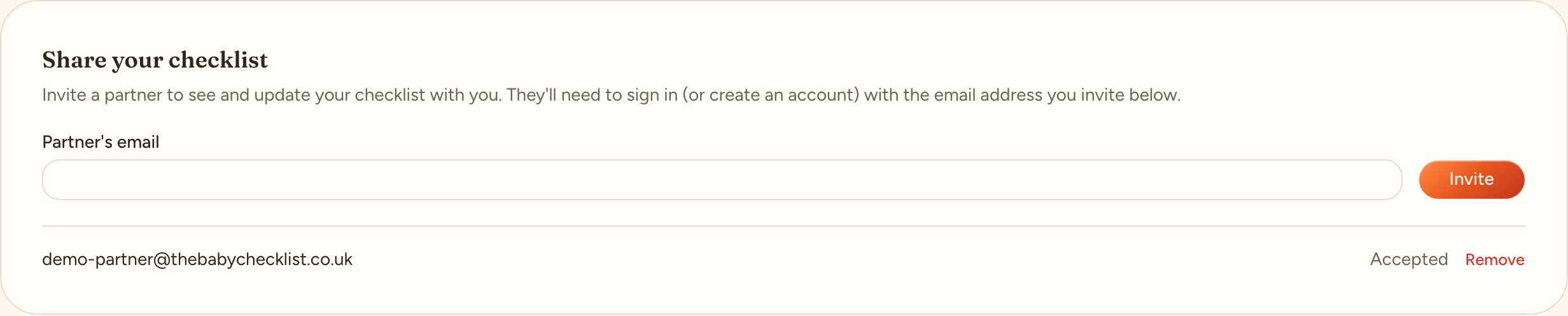
Invite your partner by email from Settings. They see and edit the same list, so nobody buys the bottle steriliser twice.
7
stages, TTC to toddler
228
reviewed products
48
categories covered
Every product on the list has a full review with a weighted score, pros and cons, and a price. See the reviews →
How My List compares.
| My List | Retailer registry | PDF checklist | |
|---|---|---|---|
| Organised by pregnancy stage | Yes, with ‘you are here’ | No | Sometimes |
| Tells you what to skip | Yes (Not needed) | No | No |
| Running budget | Yes | No | No |
| Independent reviews behind every item | Yes | No | No |
| Buy from any shop | Yes | One shop | n/a |
| Turns into a shareable registry | Yes | Yes | No |
Questions people ask before signing up.
Is it free?+
Yes, entirely. We earn a small commission if you buy through one of our retailer links, which never affects a product's score — see our editorial policy for how that works.
Do I need to know my due date?+
No. Without one, all seven stages stay open so you can browse freely. Add a due date later from Settings and your list opens to the right stage automatically.
Why are there only a few products in each category?+
We list what we've reviewed and would actually buy, not everything on the market. If a category only shows two or three options, that's deliberate — see our editorial policy for how we choose what to test.
Can I add something you haven't reviewed?+
Not to your list yet. You can add a custom item — with a name and optional price — directly to your registry, which covers things like a specific colourway or a cash contribution.
Why aren't nappies, wipes and vitamins on my list?+
Consumables are recurring purchases, not a one-off decision, so they don't belong on a checklist. We cover them as content on the relevant stage pages instead.
What happens when I mark something Have it that's on my registry?+
We warn you first, since removing it could confuse a guest who's already claimed it as a gift. Confirm and it comes off the registry.
Can my partner use the same list?+
Yes. Invite them by email from Settings — once they accept, they see and can edit the same list you do.
How do I delete my account?+
Settings → Delete my account. Everything goes, including your registry and any claims on it.
Start with the stage you're in.
Free, no card, and you can delete everything in one click.